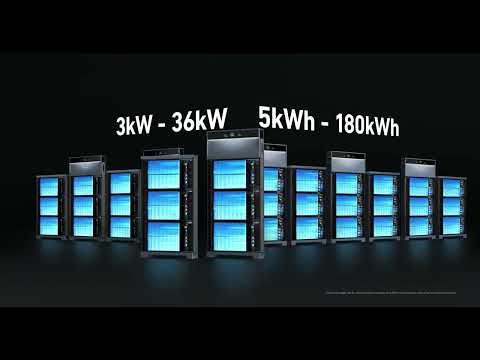
How do I Restart Anker SOLIX X1 (Americas)

Power Off

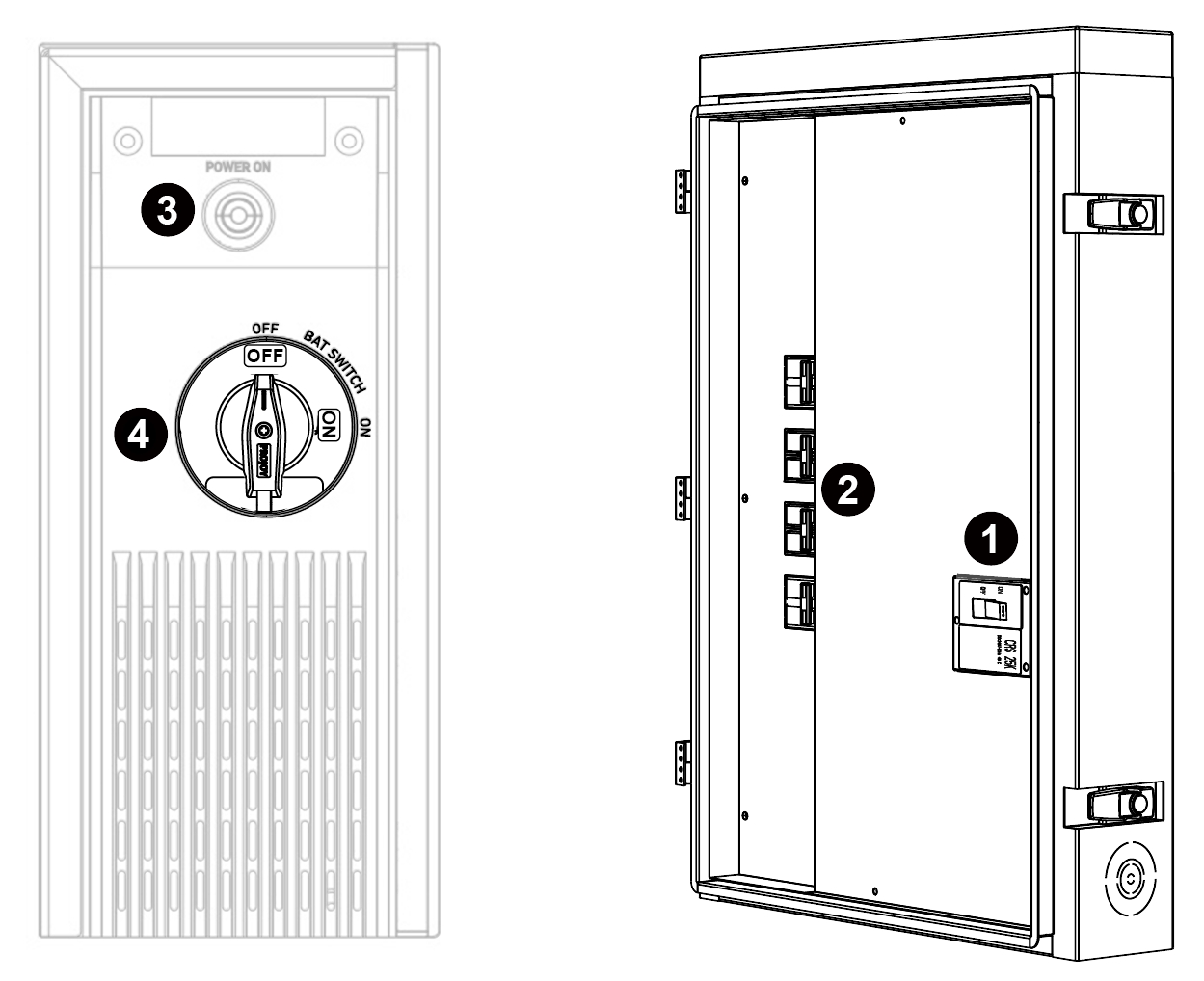
  1. Open the Backup Controller panel. Turn off the Backup Controller's main circuit breaker.

  2. Turn off the breakers in the Backup Controller for Power Modules and, if available, your solar power system and generator.

  3. Press the POWER ON button on the left side of the Power Module. Hold for 8 seconds until the screen turns off.

  4. Toggle the BAT switch on the Power Module to OFF.

Notes:

  • You must get permission from the homeowner before disconnecting from the grid. 

  • If the Backup Controller is not the main service equipment, turn off the circuit breaker upstream.

  • Please wait at least six minutes before performing any maintenance on the system to avoid shock and burns from residual electricity.


Power On

  1. Toggle the BAT switch of the power module to ON.

  2. Turn on the breakers for the Power Modules, and, if available, your solar power system and generator.

  3. Turn on the main breaker for the Backup Controller and close the panel.

Note: If the Backup Controller is not the main service equipment, turn on the circuit breaker upstream.

  1. Wait for 1-2 minutes. When the Power Module display appears and the light bar status is normal, Anker SOLIX X1 is successfully powered on.

How do I Restart Anker SOLIX X1 (Americas)
18 undefined
How to Invite Your Family to Share Anker SOLIX X1
1189 views/1 likes/2024-12-09 15:40:41
Anker SOLIX Professional O&M Platform Guideline
260 views/1 likes/2025-09-08 10:05:16
How to sign up for an Anker account
650 views/1 likes/2025-05-14 14:28:32
How to Upload a Log
256 views/1 likes/2025-07-22 17:59:03
How do I Restart Anker SOLIX X1 (Americas)
250 views/1 likes/2025-05-14 14:24:09
Anker SOLIX X1 Installation Documents - US
327 views/1 likes/2025-08-04 11:12:03
How Solar (PV) and X1 Power Function During Outages
394 views/1 likes/2025-03-10 10:45:14
Understanding 'System Low Power'
354 views/1 likes/2024-12-09 15:41:19
Anker SOLIX X1 Installation Checklist - Americas
289 views/1 likes/2025-06-10 15:22:11
Standard Operating Procedure for Changing Wi-Fi
324 views/1 likes/2025-08-18 16:19:18
A3961 QSG V2(1)
Liberty 4_A3953_QSG
Q20i_QSG
EU Declaration of Conformity for soundcore A3i_A3992
UK&CA Declaration of Conformity for soundcore Liberty 4_A3953
EU&UK Declaration of Conformity for soundcore Sleep A10_A6610
View More
How to use Liberty 4 Wellness features
How to Connect to the Soundcore App and Update Firmware for Sport X10
How to Wear Liberty 4 and Change Eartips
How to solve a connection issue on Sleep A10
How to Use Features On the Soundcore App for Sport X10
How to Pair and Reset Sport X10
View More