Common Issues After Device Replacement
1. Device Serial Number (SN) Not Recognized
2. EMS Strategy Not Executed Correctly
1. Device Serial Number (SN) Not Recognized
Possible Cause: Replacement carried out while power module was powered on. System not completely powered off before replacement.
Suggestion: Shut down the power module, then replace the device. Perform commissioning again through the Anker app.
2. EMS Strategy Not Executed Correctly
Possible Cause: Commissioning steps were not redone through the Anker SOLIX app.
Suggestion: Redo commissioning through the Anker SOLIX app.


59 undefined
Anker Solix X1 Meter Wiring Diagram (AU)


Anker SOLIX Professional O&M Platform Guideline
X1 Hybrid System – Dual Parallel Installation Guide (AU)
How to Register as an Anker SOLIX Installation Partner
Anker SOLIX X1 System Retailer Guide For Australia
Anker SOLIX Academy – GSA Training Platform Web & APP SOP for X1 Users
Anker SOLIX X1 System Pre-Sale Configuration for Australia
Anker SOLIX X1 System Installer Guide For Europe and UK
Anker SOLIX X1 Installation Documents - US
Anker SOLIX X1 Installation Checklist - Americas

Labor Reimbursement (Service Rebate) Guidelines of Anker SOLIX X1 AC-Coupled Solution - US
Return Merchandise Authorization Procedure of Anker SOLIX X1 AC-Coupled Storage & Solar Solution
Technology Review Report for US Anker SOLIX X1 Energy Storage System
Anker SOLIX X1 Home Energy Storage System Flyer - US
Anker SOLIX X1 Home Energy Storage System Three Fold Leaflet - US
Anker SOLIX X1 AC Coupled Storage System LOG Product Packaging Information- US
View More


Anker SOLIX X1 Experience Extreme Off-Grid Performance (US)
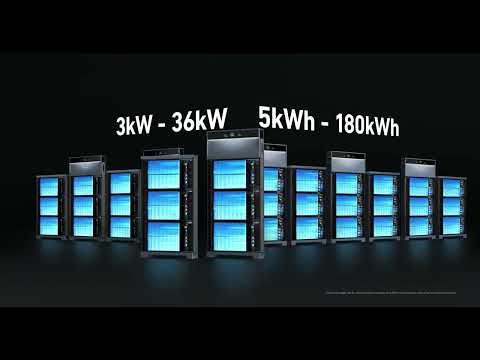
Anker SOLIX X1 Innovative Energy Optimizer (US)
Anker SOLIX X1 AC- Coupled Commissioning Guide(US)
Anker SOLIX X1 AC- Coupled Installation Guide(US)
Anker SOLIX X1: Introduction & Unboxing Guide
Anker SOLIX X1 Wiring Guide(US)
View More