STEP 2: Register and Activate Account
STEP 3: Complete Training and Examination
STEP 4: Install Your First System
Contact Us
For any inquiries or assistance, please feel free to reach out to us through the following channels:
-
Technical Support Hotline: +61 422 584 378
-
WhatsApp Support: +34 681 973 880
-
Technical Support Email: techsupport@anker-in.com
STEP 1: Submit Information
-
Fill in your information on the following webpage:https://www.ankersolix.com/au/installer-hes. If you already have an account, proceed to Step 2.

-
Once submitted, we'll get back to you as soon as we can within 24 hours.
STEP 2: Register and Activate Account
Once we've reviewed your information, we'll create your Anker SOLIX X1 account and notify you of your account name and password via email.
Use that information to log into the platforms mentioned below. For detailed instructions, please log into the Anker SOLIX Academy.
Platform Purpose: Monitor, operate, and maintain equipment you've installed remotely. Create sub-accounts for your electrician employees. Refer to the following link for a video guide: https://www.youtube.com/watch?v=_kOmacX82-k.
-
Anker SOLIX Academy Platform https://atalent-ankeri.docebosaas.com/learn
Platform Purpose: Learn about products and installation processes for installer certification.
-
Anker SOLIX Professional App (Please scan the QR code below to install)
App Purpose: Commission Anker SOLIX products with ease.

Platform Purpose: This is the hub to find all information and assistance regarding Anker SOLIX products.
STEP 3: Complete Training and Examination
Log into the Anker SOLIX Academy to learn about our products and installation processes: https://atalent-ankeri.docebosaas.com/learn.
For detailed procedures, refer to the pdf attachment: Anker SOLIX Academy Manual (AU).
Note: Required courses will be assigned to you within 24 hours after your first login.

STEP 4: Install Your First System
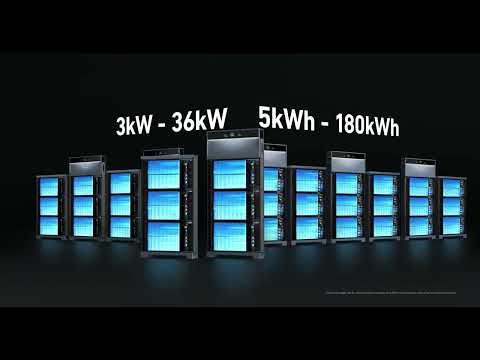
1. System Installation: Refer to the following materials for system installation:
For installation videos:
For installation manuals:
2. Commissioning: For an introduction to the user and installer apps and a commissioning guide, watch the video.

3. Help: The Support Center has the information you need. Log into the Support Center.
We're also here if you have any questions. For fast response from our technical staff, contact us via:
-
Technical Support Hotline: +61 422 584 378
-
WhatsApp Support: +34 681 973 880
-
Technical Support Email: techsupport@anker-in.com

STEP 5: Maintain Systems
To check on the operational status of installed systems, log in to the O&M platform.
To learn how to use the O&M platform, refer to the following file.
You can refer to Anker SOLIX Professional O&M Platform Guideline for learning how to use the O&M platform.