Standard Procedure for Switching Wi-Fi Connection
1. Enter the main site interface and click the settings option in the upper-right corner.
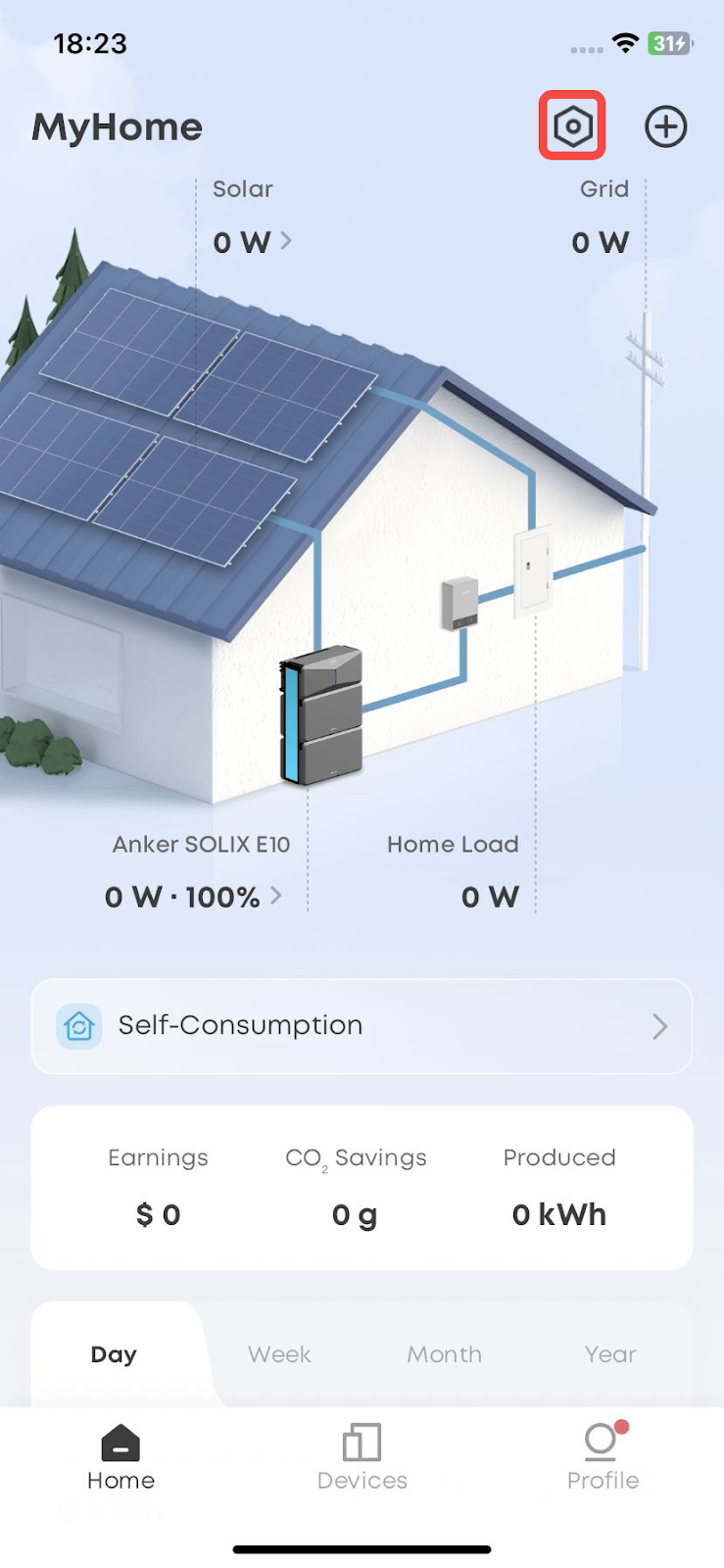
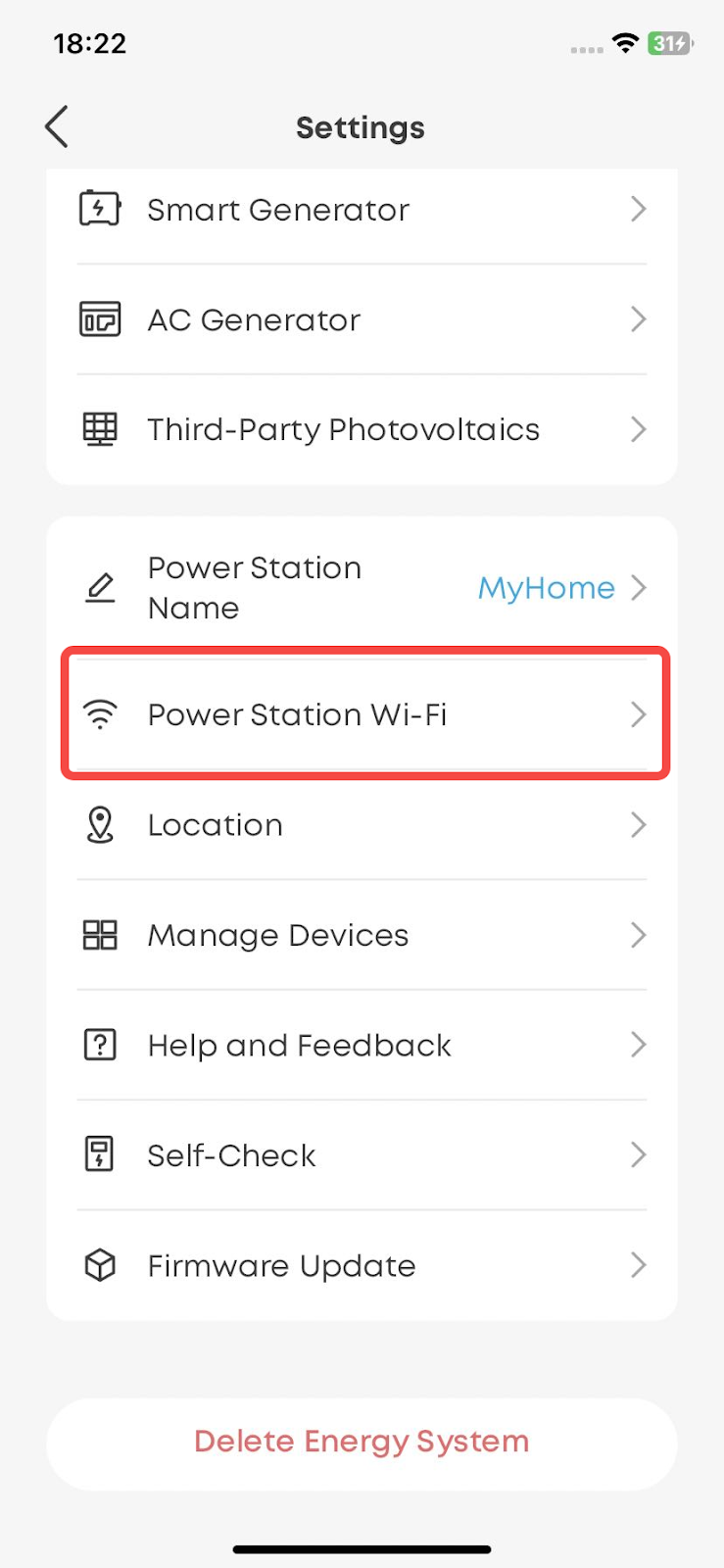
2. In the settings, click "Power Station Wi-Fi".
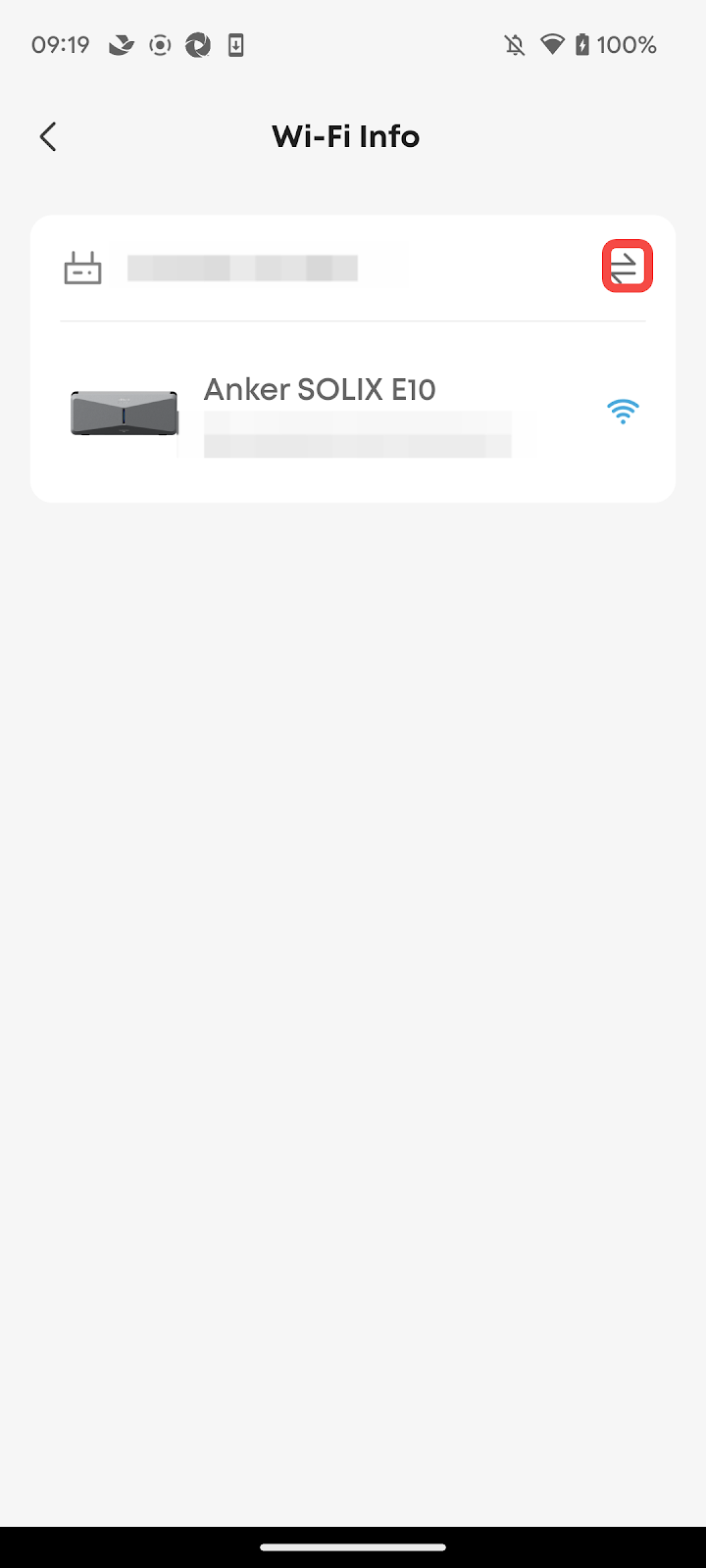
3. Click the Wi-Fi switch option to enter the Wi-Fi switching interface.
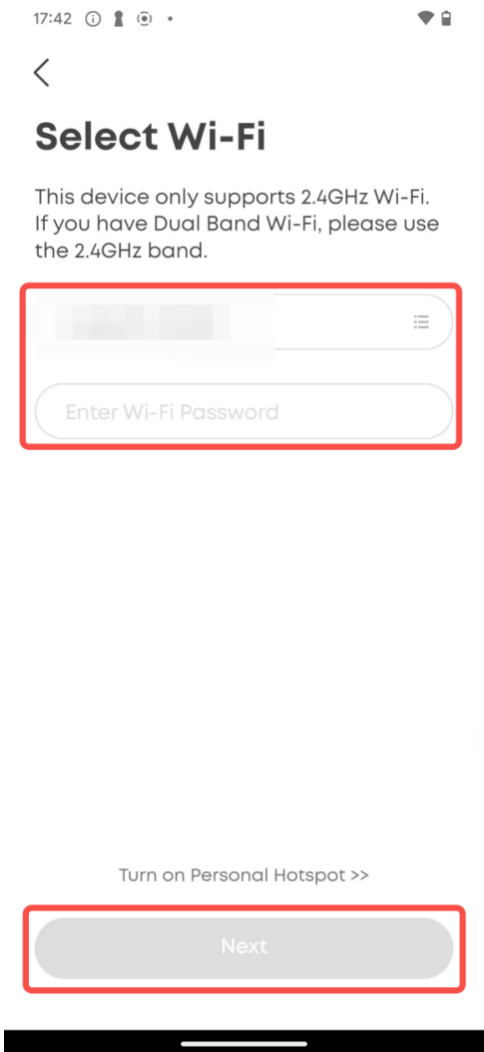
4. Select the new Wi-Fi name, then enter the corresponding Wi-Fi password, and click "Next".


82 undefined
Anker SOLIX E10 Installation FAQs


Anker SOLIX E10 System Pre‑Installation Checklist
Is the installation service available in my area?
Introduction to Time‑of‑Use (TOU) Mode for Anker SOLIX E10 System
What does the installation service fee include?
What is the difference between Whole-Home Backup Power and Partial Home Backup Power for Anker SOLIX Power Dock?
Who will be installing my Anker SOLIX Power Dock or Anker SOLIX Inlet Box?
Can Anker SOLIX Smart Generator 5500 be used with other Anker SOLIX products?
What should I do if the CT cable is too short?
What types of generators does Power Dock support?

Anker SOLIX Smart Generator Quick Start Guide
Anker SOLIX E10 & Power Dock & Smart Inlet Box & Smart Generator Datasheet
FCC ID Certificate of Anker SOLIX Smart Generator
FCC SDOC Certificate of Anker SOLIX Smart Generator
G300 Safety Certificate of Anker SOLIX Smart Generator
IC ID Certificate of Anker SOLIX Smart Generator
View More

How to Use Anker SOLIX Smart Generator 5500
How to Maintain Anker SOLIX Smart Generator 5500

Anker SOLIX Smart Intlet Box & E10 System and Installation Walkthrough Video
How to Install Anker SOLIX Smart Inlet Box

Anker SOLIX Power Dock & E10 System and Installation Walkthrough Video
How to Install Anker SOLIX Power Dock
View More