Section 1: Understanding Your Options
Q: What installation options are available for E10?
Q: How long does installation take?
Q: Do I need permits for installation?
Q: Who can install the E10 system?
Q: Do you offer installation services?
Q: Do you provide solar installation services?
Section 2: Pre-Installation Planning
Q: What materials are required for the installation?
Q: What are the space requirements for E10 installation?
Q: How must the E10 be mounted?
Q: What's the weight of each battery module?
Q: The Power Dock only has 12 circuit slots. Does that mean it’s not a whole‑home backup system?
Q: Where can I find UL Listing and product certification documents?
Section 3: Technical Specifications & Product Features
Q: What is the battery voltage?
Q: Can E10 send power back to the grid?
Q: Can the system be commissioned in off-grid locations?
Q: How many battery modules can be wall-mounted in a stack?
Q: What about Rapid Shutdown (RSD) compatibility?
Q: What types of circuit breakers are compatible with the Power Dock?
Q: What is the E10's Bluetooth used for?
Q: What should I do if the CT cable is too short?
Q: Can I use a third-party ATS (Automatic Transfer Switch) with the E10?
Section 4: Connecting the Generators
Q: Which Anker SOLIX power stations are compatible with the Smart Generator 5500?
Q: How do I connect the E10 to different generators?
Section 1: Understanding Your Options
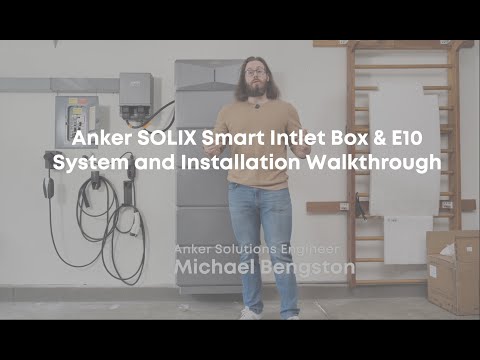
Q: What installation options are available for E10?
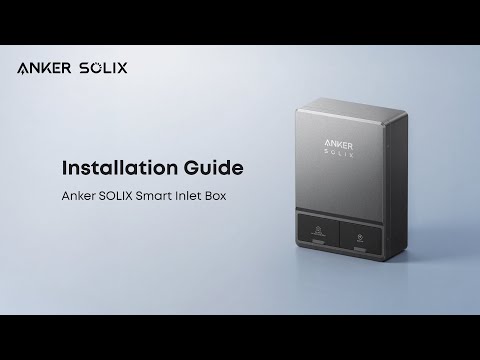
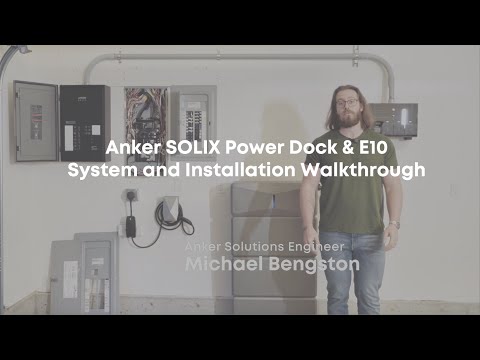
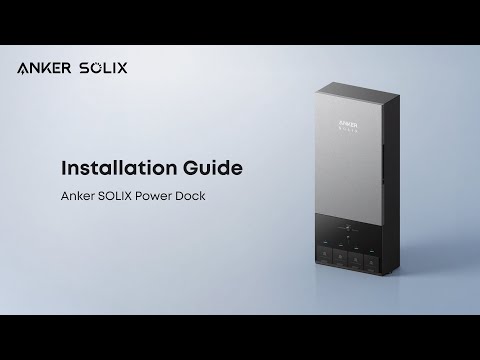
A: The E10 system offers two installation solutions:
Power Dock - A comprehensive automatic solution that serves as the main connection point for your E10 batteries and inverter. Suitable for both whole home backup and partial home backup scenarios.
Smart Inlet Box - A simpler connection solution that integrates with your existing electrical panel using an interlock mechanism.
Q: How long does installation take?
A: For the Power Dock, most installations are typically completed in about 4-6 hours, depending on your home’s electrical configuration.
For the Smart Inlet Box, which has a simpler installation, most installations can be completed in around 2 hours.
Q: Do I need permits for installation?
A: Yes, permits are generally required for both Power Dock and Smart Inlet Box installations from your local Authority Having Jurisdiction (AHJ). Please confirm permit requirements and application details directly with your licensed electrician and local AHJ.
Q: Who can install the E10 system?
A: Any licensed electrician can install the E10 system. For step-by-step guidance and other materials your electrician may need, please visit our Installation Support Hub: https://www.ankersolix.com/e10-installation-support-hub.
Q: Do you offer installation services?
A: Yes! Professional installation services are available.
-
Power Dock: https://www.ankersolix.com/products/power-dock-installation-service
-
Smart Inlet Box: https://www.ankersolix.com/products/smart-inlet-box-installation-service
** Please note that Anker SOLIX is not the direct installation provider. Installation services are performed by licensed, independent electrical contractors from Anker SOLIX’s professional partner network.**
Q: Do you provide solar installation services?
A: At this time, Anker SOLIX does not include solar installation services as part of our offering. However, the E10 system is compatible with both AC-coupled roof solar and DC-coupled solar systems.
-
DC solar: You may be able to connect directly to the E10 inverter, and it typically does not require complicated installation.
-
AC roof solar: You will need to work with a local licensed solar installer. In many cases, qualified solar contractors can also install the E10 system, since it is designed to be installer-friendly.
Anker SOLIX can provide full technical documentation and installation support for you and your chosen licensed installer (https://www.ankersolix.com/e10-installation-support-hub).
Section 2: Pre-Installation Planning
Q: What materials are required for the installation?
A: Please refer to Anker SOLIX E10 System Pre‑Installation Checklist.
Q: What are the space requirements for E10 installation?
A: Please maintain at least 12 in (30 cm) of clearance above the E10 and a 1.2–3.1 in (3–8 cm) gap between the unit and the wall. The cable connecting the E10 to the Power Dock or Smart Inlet Box is 5.9 ft (1.8 m) long, so please ensure the devices are installed within this distance.
For detailed installation requirements, please refer to Anker SOLIX E10 System Pre‑Installation Checklist.
Q: How must the E10 be mounted?
A: E10 has three installation methods: wall-mounted installation, metal base stand, and floor stand.
In flood-prone areas, wall-mounted installation is recommended.
For the three installation methods, the provided mounting bracket needs to be installed on two wooden studs. One side of the power dock must also be fixed to a wooden stud.
Note:
1. Ensure that the wall’s load-bearing structure can support the weight of Anker SOLIX E10. If you are unsure, please consult a professional to determine the appropriate installation site before proceeding. Each Anker SOLIX E10 power module weighs 60.6 lb (27.5 kg), and each Anker SOLIX B6000 battery module weighs 130 lb (59 kg).
2. The Metal Pad and Wall Bracket are sold separately. Learn more here:
-
Wall Bracket: https://www.ankersolix.com/products/wall-bracket-for-e10?search_category=autofill&q=wall
-
Metal Pad: https://www.ankersolix.com/products/metal-pad-for-e10?search_category=autofill&q=metal
Q: What's the weight of each battery module?
A: Each battery module weighs 130lbs (59kg). Two people are recommended for handling.
Q: The Power Dock only has 12 circuit slots. Does that mean it’s not a whole‑home backup system?
A: Not at all. When paired with the E10, the Power Dock fully supports whole‑home backup.
Here’s how it works:
Whole‑home backup:
Your existing home breaker panel connects to the Power Dock through the sub‑panel interface. This allows up to 200A of power to back up all the circuits in your original panel.
The 12 slots (smart control):
These slots are for larger or non‑essential loads like A/C units or dryers. The system can monitor their energy use and, during an outage, automatically turn them off based on your priority settings to help extend the battery runtime.
Q: Where can I find UL Listing and product certification documents?
A: UL Listing and product certification documents are available here: [UL Listing Download Link].
Section 3: Technical Specifications & Product Features
Q: What is the battery voltage?
A: The E10 battery operates at 400V.
Q: Can E10 send power back to the grid?
A: No. E10 cannot send power to the grid. It is designed for backup and self-consumption only.
Q: Can batteries charge in extremely cold weather? How does the thermal boosting feature work in cold weather?
A: E10 operates within a temperature range of -4°F to 131°F. When the battery pack temperature falls below 59°F, the system activates battery heating and stops heating when the battery pack temperature reaches 68°F.
Q: Can the system be commissioned in off-grid locations?
A: Yes, with limitations. The system can complete commissioning and updates off-grid, but will only function in "off-grid mode" afterward—meaning no Time of Use mode, self-consumption features, etc.
Q: How many battery modules can be wall-mounted in a stack?
A: The system supports stacking up to five battery modules in a wall-mounted installation, as certified. However, please verify with your local AHJ whether any additional regulatory requirements apply.
Q: What about Rapid Shutdown (RSD) compatibility?
A: The system fully supports Rapid Shutdown through three methods:
-
Power Dock: There is an ESS RSD button on the face of the Power Dock (ATS). Some areas may require a third-party RSD device. Some jurisdictions require the button to be red.
-
E10 Unit: There is a Solar RSD rotary switch on the left side of the E10 unit, supporting system-level PV DC rapid shutdown functionality.
-
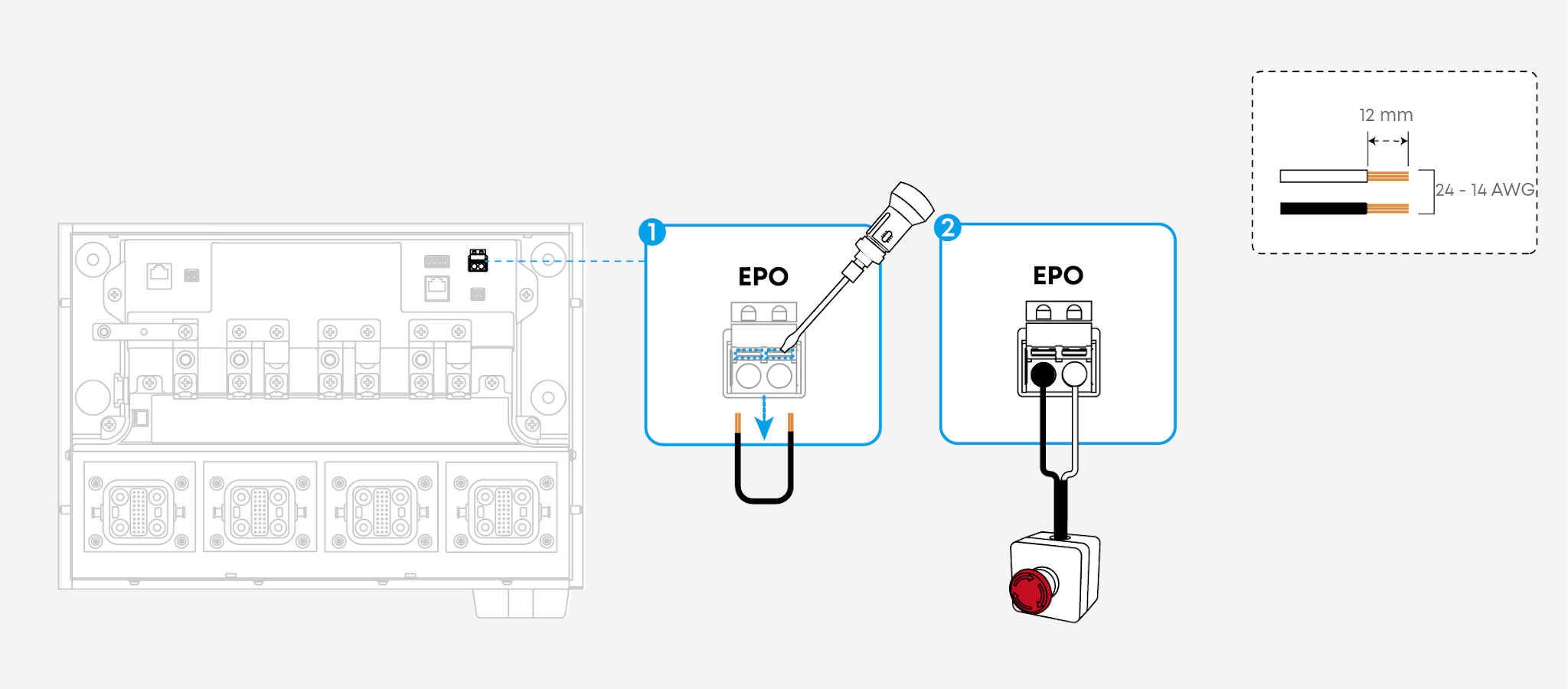
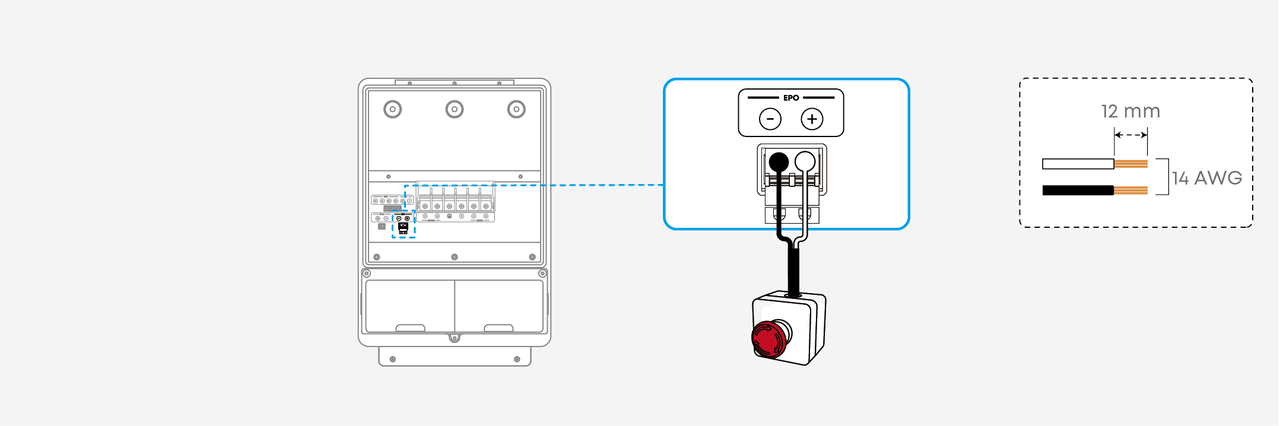
External EPO Ports: Both the Power Dock and the Smart Inlet Box have dedicated Emergency Power Off (EPO) ports, allowing you to manually trigger a system shutdown to meet local electrical codes.
⚠️ Note for External EPO Installation:
-
Install the EPO device in a readily accessible external location. If the Power Dock / Smart Inlet Box is installed in a garage, place the EPO device outside.
-
The EPO device should meet the following specifications:
-
NC contact ×1
-
≥ 30 VDC / 1A
Please refer to the wiring diagrams below for connecting an external EPO device to the Power Dock or the Smart Inlet Box.
EPO Wiring - Power Dock
EPO Wiring - Smart Inlet Box
Q: What types of circuit breakers are compatible with the Power Dock?
A: The power dock has been evaluated for compatibility with the circuit breaker types listed below.
Main Breaker
Branch Breaker
Q: What is the E10's Bluetooth used for?
A: It is best to perform configurations when you have an internet connection. If you are offline, Bluetooth allows you to view operation data and set the AC Port and Branch Strategy. All other features will run automatically based on your previous online settings.
Q: What should I do if the CT cable is too short?
A: For details, please refer to "What should I do if the CT cable is too short?"
Q: Can I use a third-party ATS (Automatic Transfer Switch) with the E10?
A: No. You can only use the Power Dock with the E10.
The Power Dock and the E10 have a two-way connection. Normally, the Power Dock sends power to the E10. If the power goes out, they communicate with each other to quickly switch to the E10 for backup power.
Third-party ATS devices are designed to work only with their own device. They cannot communicate with the E10, which will cause switching errors and safety risks.
Q: After connecting the E10 to the Power Dock, can I still use the included 120V AC charging cable to charge the E10?
A: No. Once connected, the Power Dock takes over all power management. The E10’s own 120V AC charging cable will no longer work.
Section 4: Connecting the Generators
Q: Which Anker SOLIX power stations are compatible with the Smart Generator 5500?
A: For detailed compatibility information, please refer to the Smart Generator 5500 Integration Guide with Anker SOLIX Portable Power Stations.
Q: How do I connect the E10 to different generators?
A: For details, please refer to https://support.ankersolix.com/s/article/How-do-I-connect-the-E10-to-different-generators.