1. Power Dock
1.1 Material Preparation
Note: The power dock has been evaluated for compatibility with the circuit breaker types listed below.
Main Breaker
Branch Breaker
-
125A Battery Breaker:
-
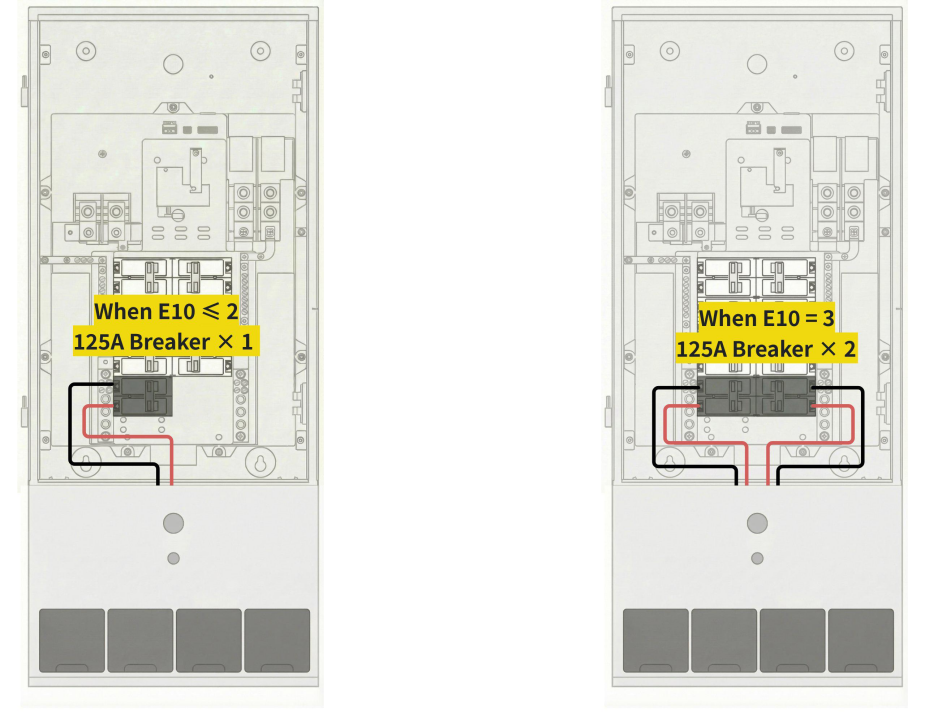
A 125A breaker needs to be installed on the Power Dock to connect the battery. Please confirm in advance whether one or two breakers are required so that installers can purchase them accordingly. Use one 125A breaker when there are two or fewer E10 units, and use two 125A breakers when there are three E10 units.
-
For Whole Home Backup Scenario:
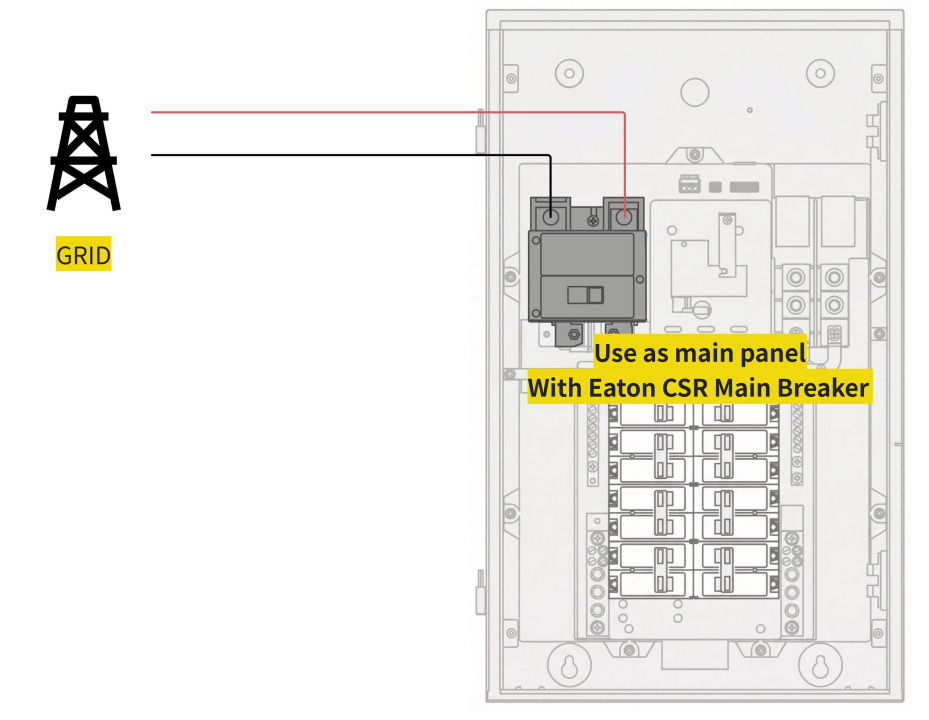
Eaton CSR Main Breaker: Confirm whether the Power Dock installation this time requires an Eaton CSR Main Breaker and determine the required current rating of the breaker. If it is required, be sure to purchase the Eaton CSR Main Breaker in advance with the required specification.
-
For Partial Home Backup Scenario:
-
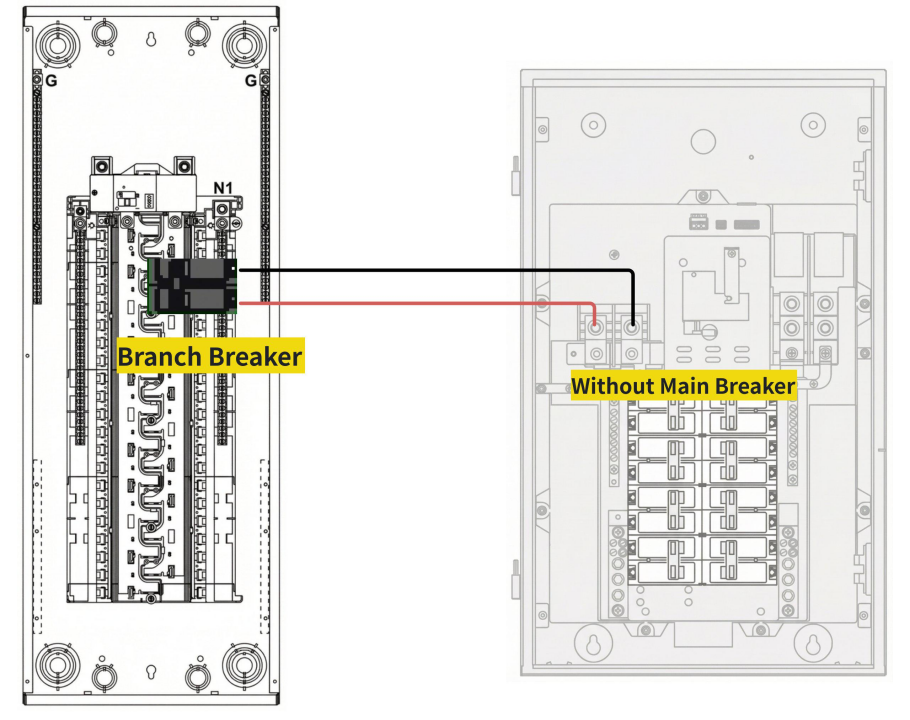
Option 1 — Branch Breaker:
If Power Dock requires a current of 125A or less, it can be supplied directly through a branch breaker connected to the Main Panel. In this case, no breaker is needed at the Power Dock side.
-
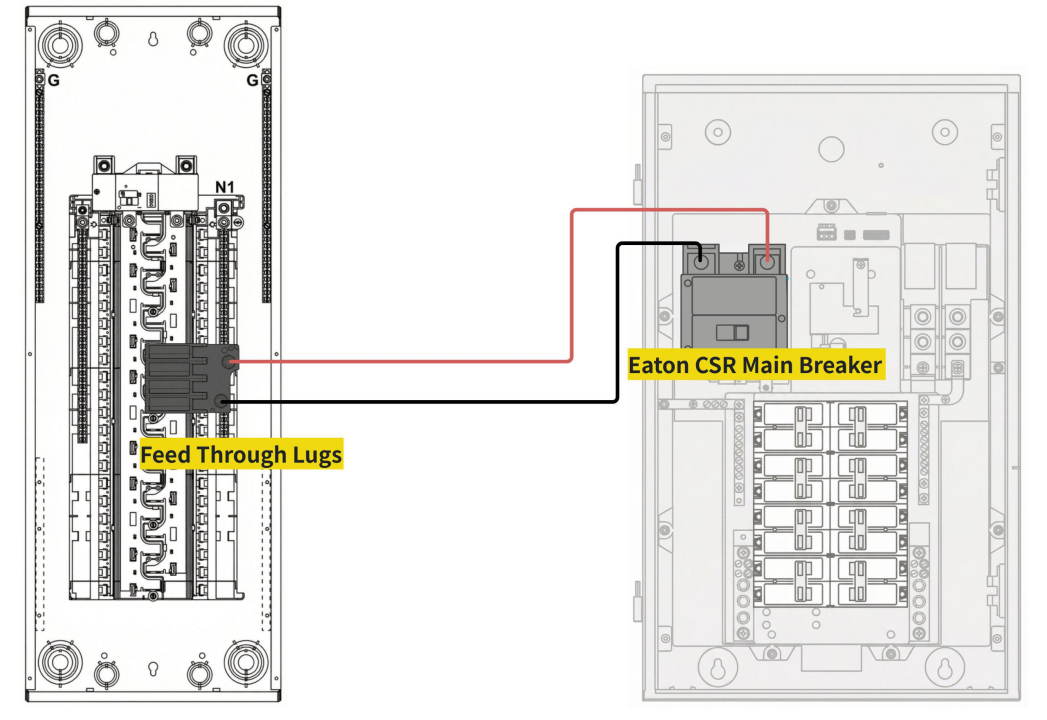
Option 2 — Feed Through Lugs & Eaton CSR Main Breaker:
If the main panel is required to supply 200 A to the Power Dock using feed-through lugs and an Eaton CSR 200A main breaker, please purchase these components in advance and verify compliance with local code requirements.
-
CT Compatibility
Verify that the included CTs are compatible with your home panel.
CTs are not supported on:
Panel with four parallel feeders
1.2 Space Planning
Before installation, the key principles should be observed :
-
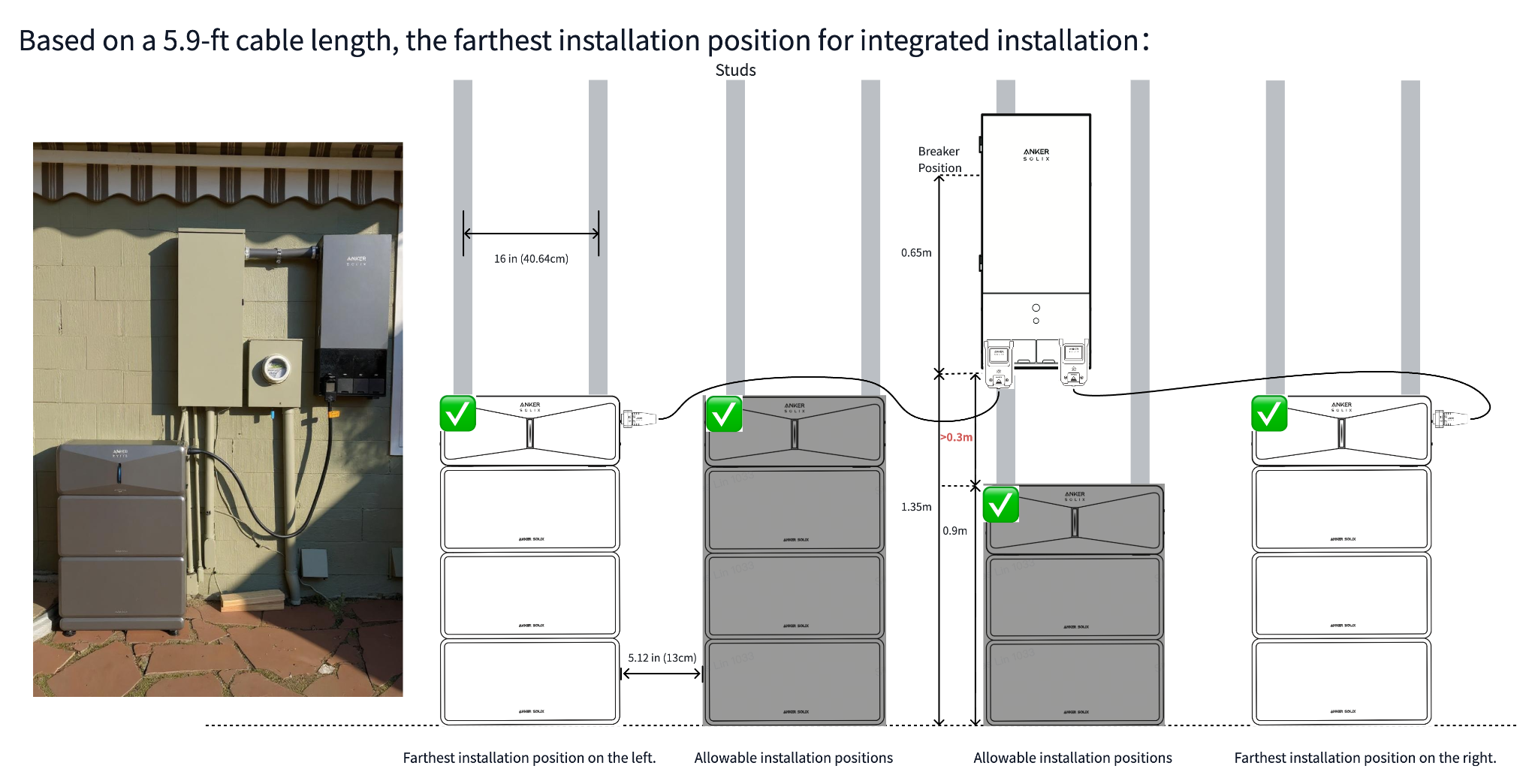
The cable length between the E10 and the Power Dock is 5.9 ft (1.8 m).
-
The E10 must be secured to two wood studs using the fixed bracket, and one side of the Power Dock must also be attached to a wood stud.
-
Please ensure a minimum of 11.8 in (30 cm) of clear space above the E10 inverter for ventilation.
-
Energy Storage System shall only be installed in a detached garage/ADU, an attached garage properly separated from living space, outdoors on an exterior wall at least 3 ft from doors/windows, or in an enclosed, fire-rated utility-type space inside the home (e.g., utility room, basement, storage/service area). (Ref: 2021 IRC R328.4; R302.6)
-
Integrated Installation Location :
Per NEC requirements, the maximum allowable height of the highest circuit breaker in the Power Dock panel is 6 ft 7 in (2.0 m). This limits the installation beneath the Power Dock to two battery modules and one inverter.
-
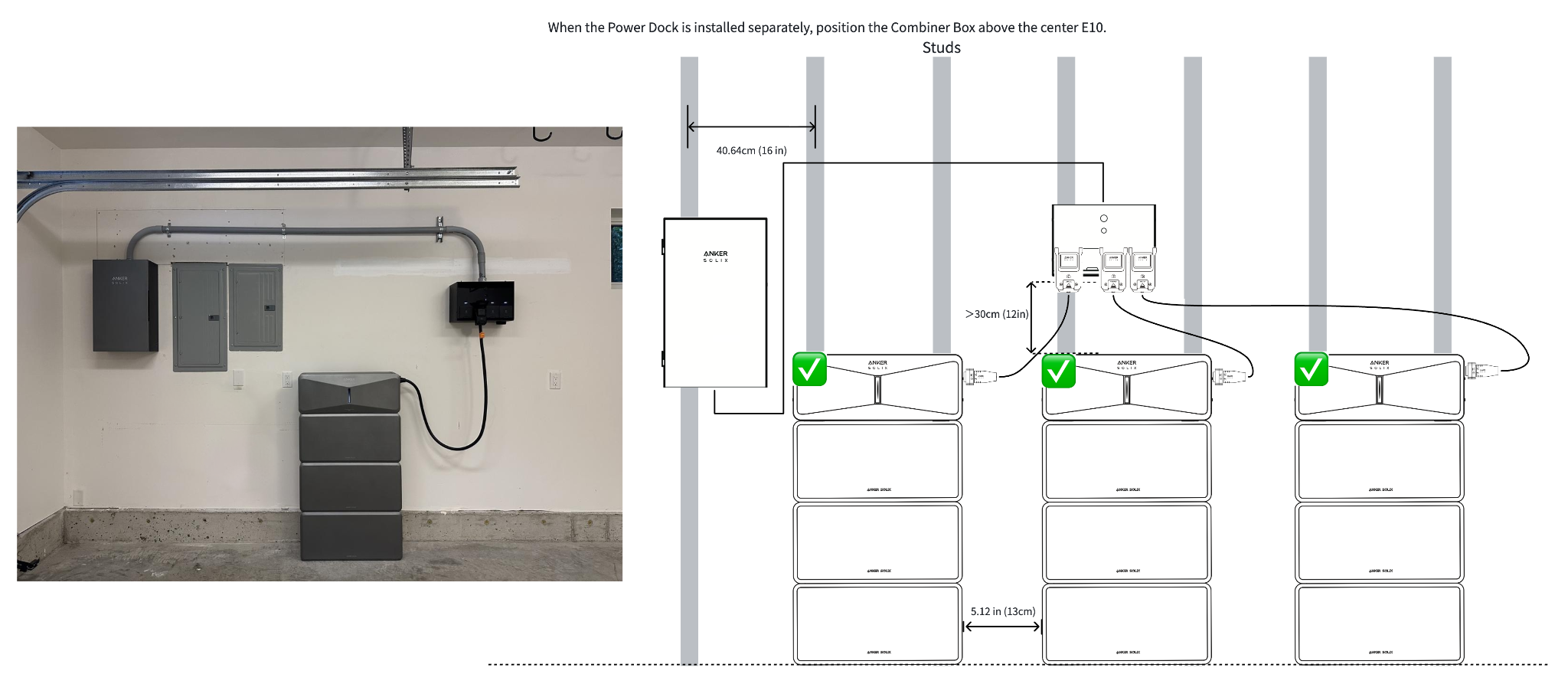
Separate Installation Location :
If the above integrated installation method is not feasible, separate installation can be considered. In this case, since the lower section of Power Dock (Combiner Box) has no circuit breaker, there is no height restriction.
1.3 Compliance Requirement
-
Installations involving the Power Dock generally require permits from the local AHJ. Installers should confirm and obtain all required permits prior to installation. UL Listing and product certification documents are available here: [UL Listing Download Link]
-
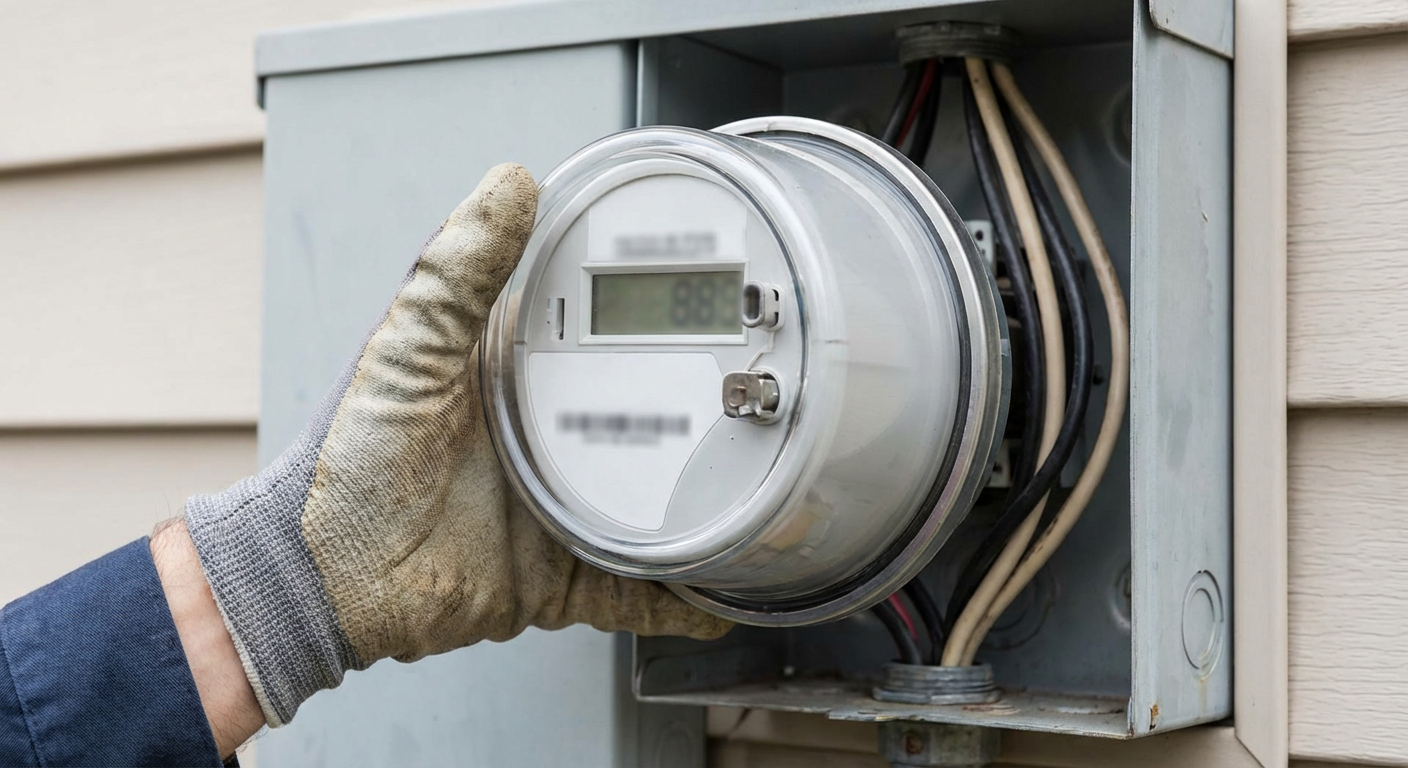
Power-off Preparation: If the installation uses the Power Dock as the Main Service Equipment, advance coordination with the utility company is required to schedule a power outage on the installation day, where mandated by local requirements.
2. Smart Inlet Box
2.1 Material Preparation
-
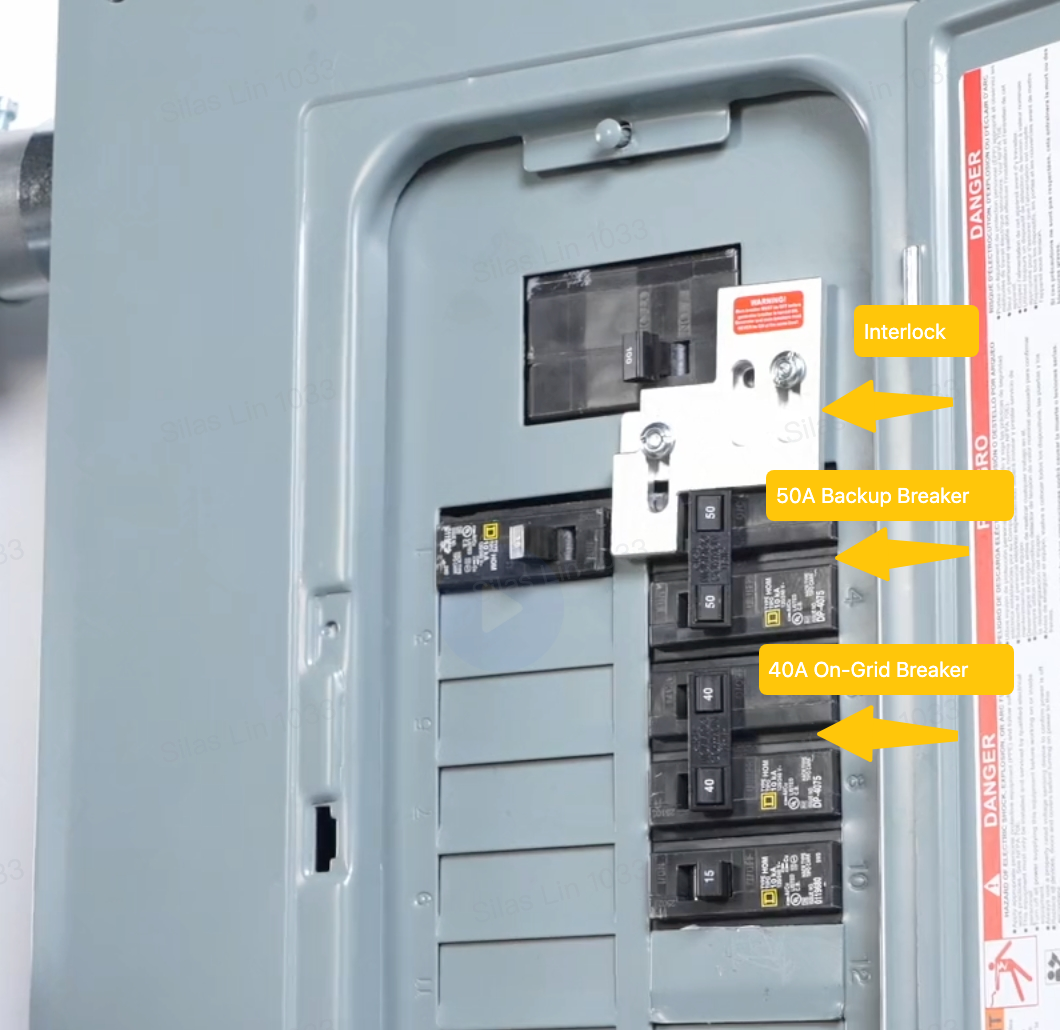
Interlock: Confirm the model of the user’s electrical panel and identify which type of interlock is required. Please purchase in advance an interlock compatible with the electrical panel.
-
Branch Breaker: Please purchase in advance one 40A and one 50A two‑pole circuit breaker compatible with user's electrical panel, for connecting the Smart Inlet Box to the panel.
-
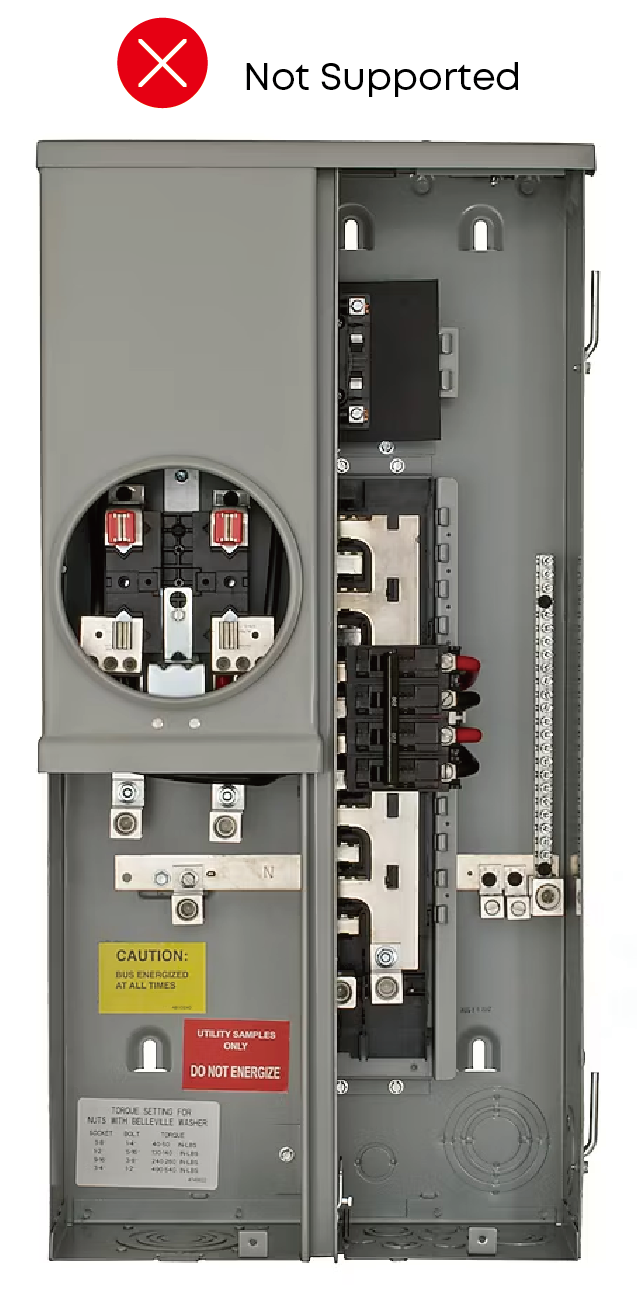
CT Compatibility
Verify that the included CTs are compatible with your home panel.
CTs are not supported on:
Panel with four parallel feeders
2.2 Space Planning
-
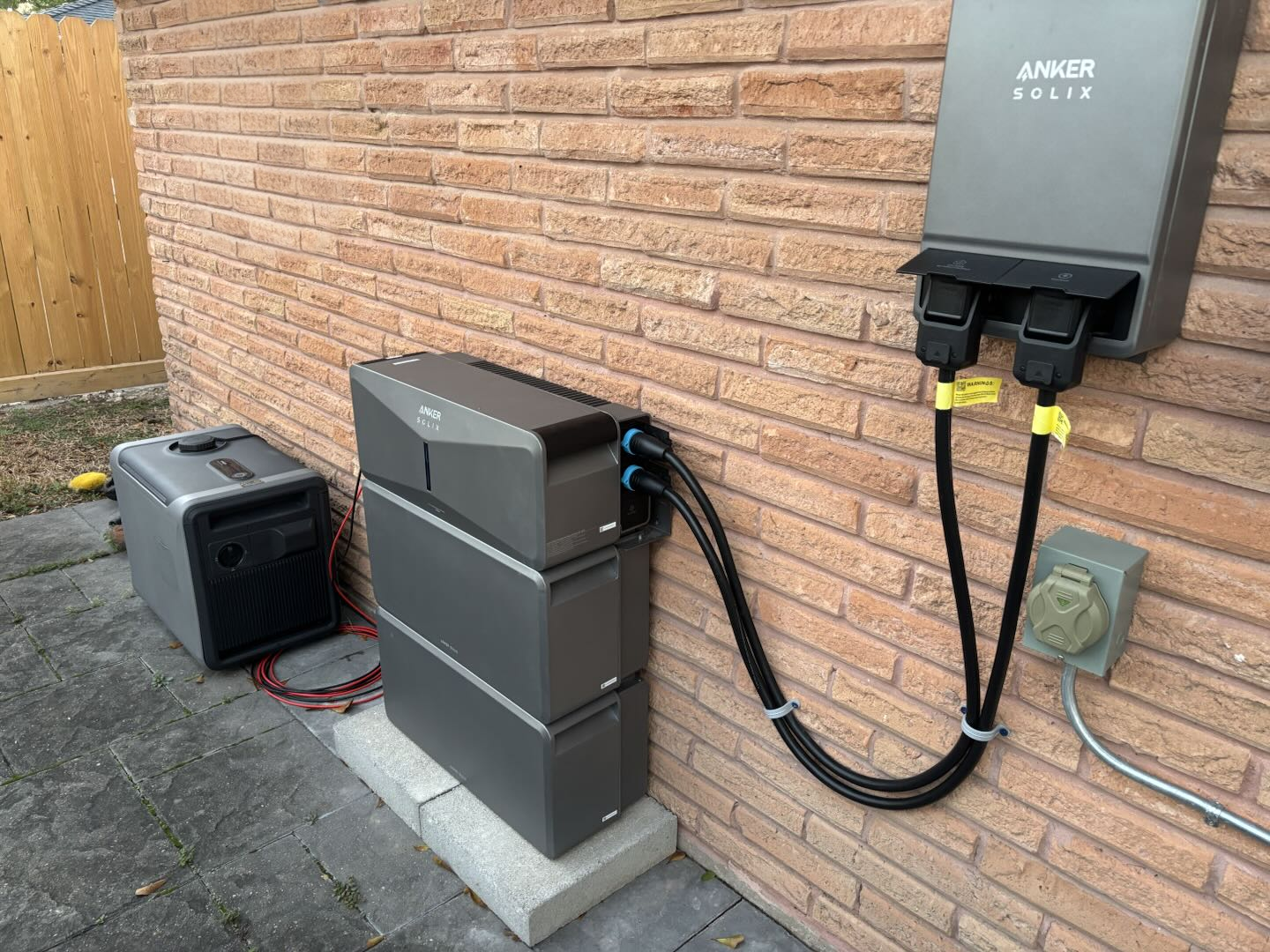
Before installation, two key principles should be observed :
-
The cable length between the E10 and the Power Dock is 5.9 ft (1.8 m).
-
The E10 must be secured to two wood studs using the fixed bracket.
-
Energy Storage System shall only be installed in a detached garage/ADU, an attached garage properly separated from living space, outdoors on an exterior wall at least 3 ft from doors/windows, or in an enclosed, fire-rated utility-type space inside the home (e.g., utility room, basement, storage/service area). (Ref: 2021 IRC R328.4; R302.6)
2.3 Compliance Requirement
Installations involving the Smart Inlet Box generally require permits from the local AHJ. Installers should confirm and obtain all required permits prior to installation.