How can I set the maximum total grid output power for Solarbank in the Anker app?
First, ensure that all Solarbank units are added to the same system. Then, follow these steps in the Anker app to set the grid output power:
1. On the homepage, tap the gear icon in the upper-right corner to access settings.
2. Select "On-Grid AC Setting."
3. Click on "Max Total Output" in the upper-right corner.
4. Choose the desired power value, then tap "Save."
5. If the selected value exceeds 800W, a safety prompt will appear. You must confirm before the setting takes effect.


10 undefined
What are the differences between using multiple Solarbank 3 E2700 Pro units in plug-and-play mode and connecting them through Power Dock?


What Is Smart Mode? How Can I Benefit From It?
Which Solarbank models currently support plug-and-play use of multiple units within the same home energy system?
How can I add multiple Solarbank 3 E2700 Pro units to a home energy system in the Anker app?
How can I achieve a maximum AC output power of 3,600W using Solarbank 3 E2700 Pro?
How can I set the maximum total grid output power for Solarbank in the Anker app?
What are the requirements for using multiple Solarbank 3 E2700 Pro units in a plug-and-play setup?
What are the differences between Anker SOLIX Solarbank 4 E5000 Pro and Anker SOLIX Solarbank 3 E2700 Pro?

Anker SOLIX Solarbank E1600 SDS Report
Anker SOLIX Solarbank E1600 Przewodnik Użytkownika (A17C0)
Anker SOLIX Solarbank E1600 Användarhandledning (A17C0)
Anker SOLIX Solarbank E1600 Guide de l'utilisateur (A17C0)
Anker SOLIX Solarbank E1600 Guía del Usuario (A17C0)
Anker SOLIX Solarbank E1600 Guida per L'utente (A17C0)
View More


How to Install Anker SOLIX Solarbank E1600
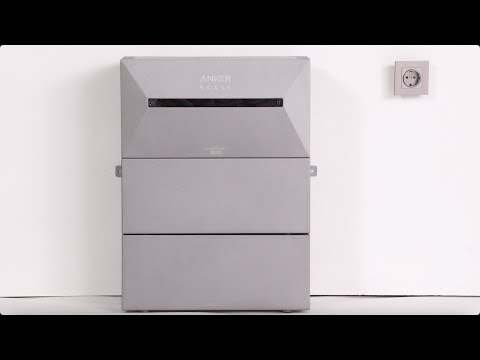
How to Install Anker SOLIX Solarbank 2 E1600 Pro
Configurer la Solarbank

Zo stel je de Solarbank in
How to Set Up Solarbank
Anker SOLIX Solarbank 2 E1600 AC Installation Guide
View More