If you are installing a device combination such as Power Dock Pro + X1 Hybrid (A5102 / A5103), you need to connect a communication cable between the two. This communication cable is included in the Power Dock Pro package, with an RJ45 connector on one end and a green Phoenix connector on the other.
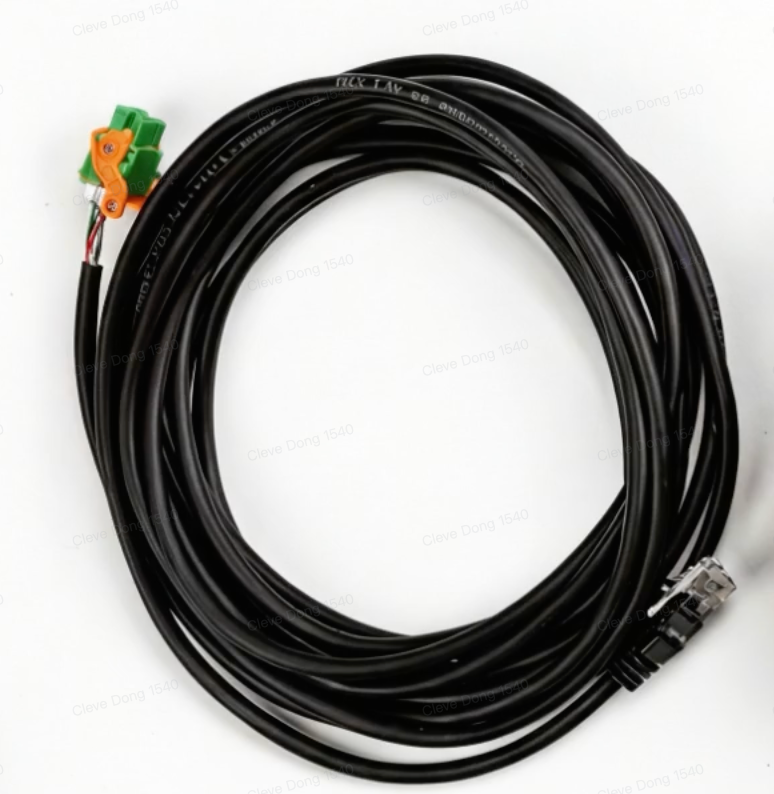
Regarding it, you need to note:
-
The length of this cable is 5m.
-
If this cable fits your installation scenario, please use it directly. Do NOT do any modification to it.
-
If this cable does not fit your installation scenario, please separate the green Phoenix terminal from this cable, prepare a cable suitable for the scenario by yourself, and re-terminate both ends. When making the cable yourself, please be sure to follow the wire sequence requirements in the instruction manual (as follows).
⚠️ Caution
-
The communication cable inside the package must be used as it is; please do not make any modifications to this cable before use, otherwise there will probably be a fault during the commissioning, indicating the serial number of the Power Dock Pro unavailable.
-
When making cables by yourself, do not refer to the wire sequence inside the package; please follow the instructions in the manual.