How do I set up the solar panel?

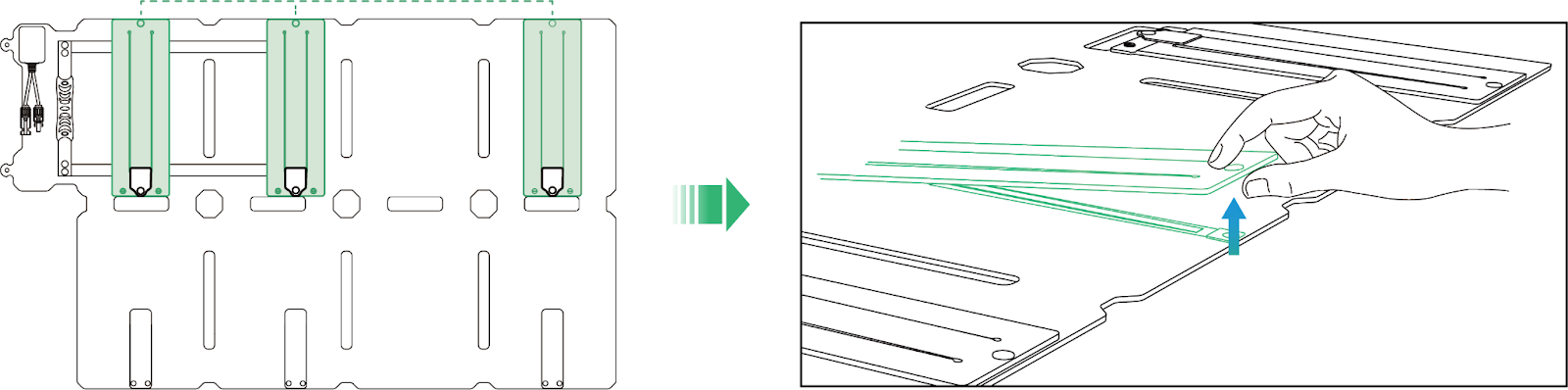
Step 1: Lift the Kickstand

Locate the kickstand on the back of the solar panel and lift it upward. You'll see a thin support strip with a touch fastener at the end.
 

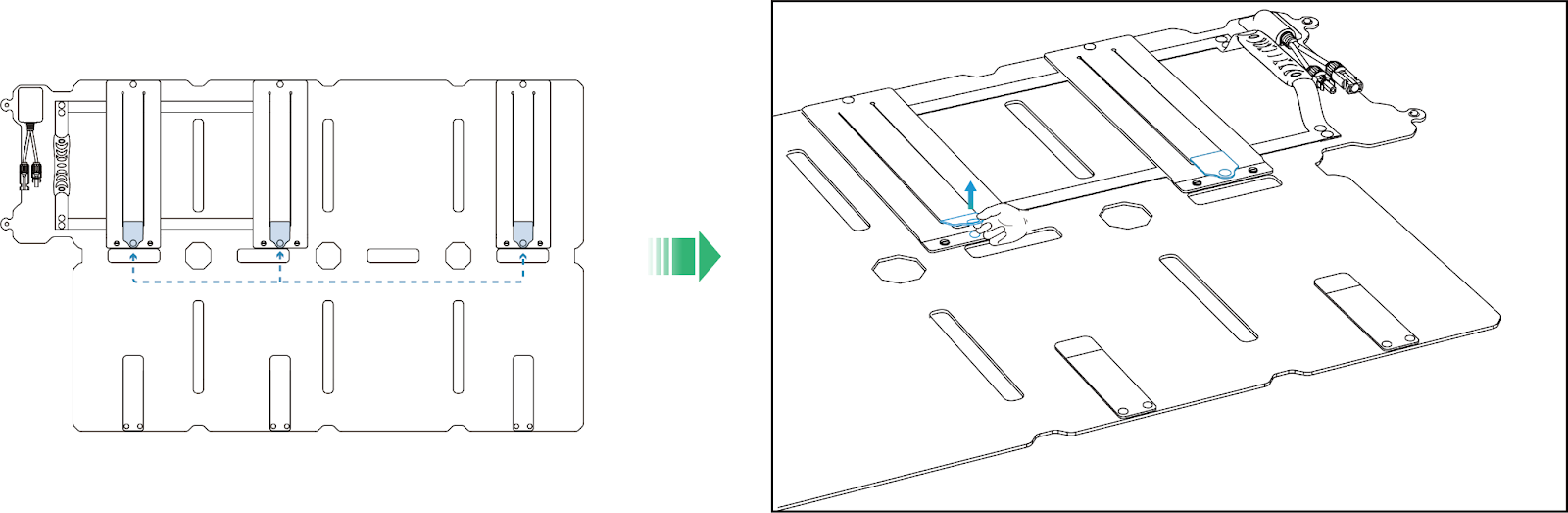
Step 2: Release the Touch Fastener

Find the touch fastener at the end of the support strip and pull it open from its storage position.
 

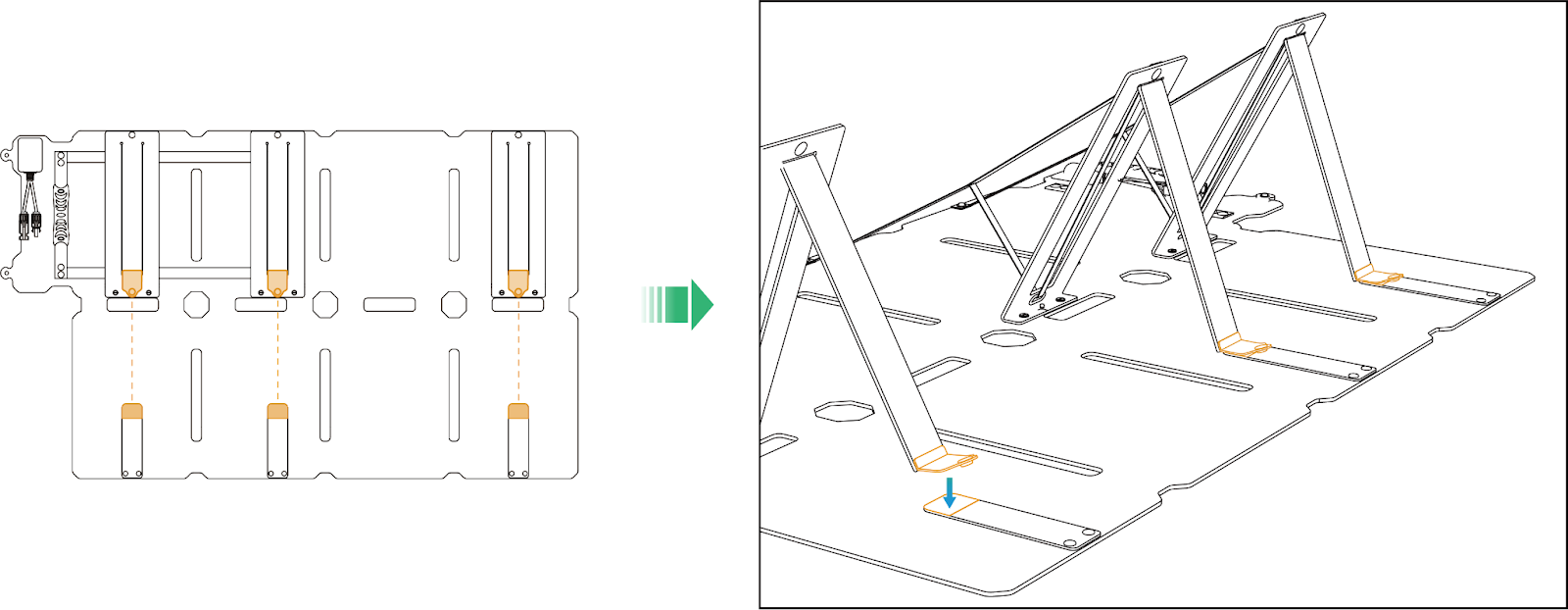
Step 3: Secure the Support Strip

Fold the panel to your desired angle, then press the touch fastener on the support strip onto the matching patch on the opposite side of the panel. Make sure it's firmly attached.
 

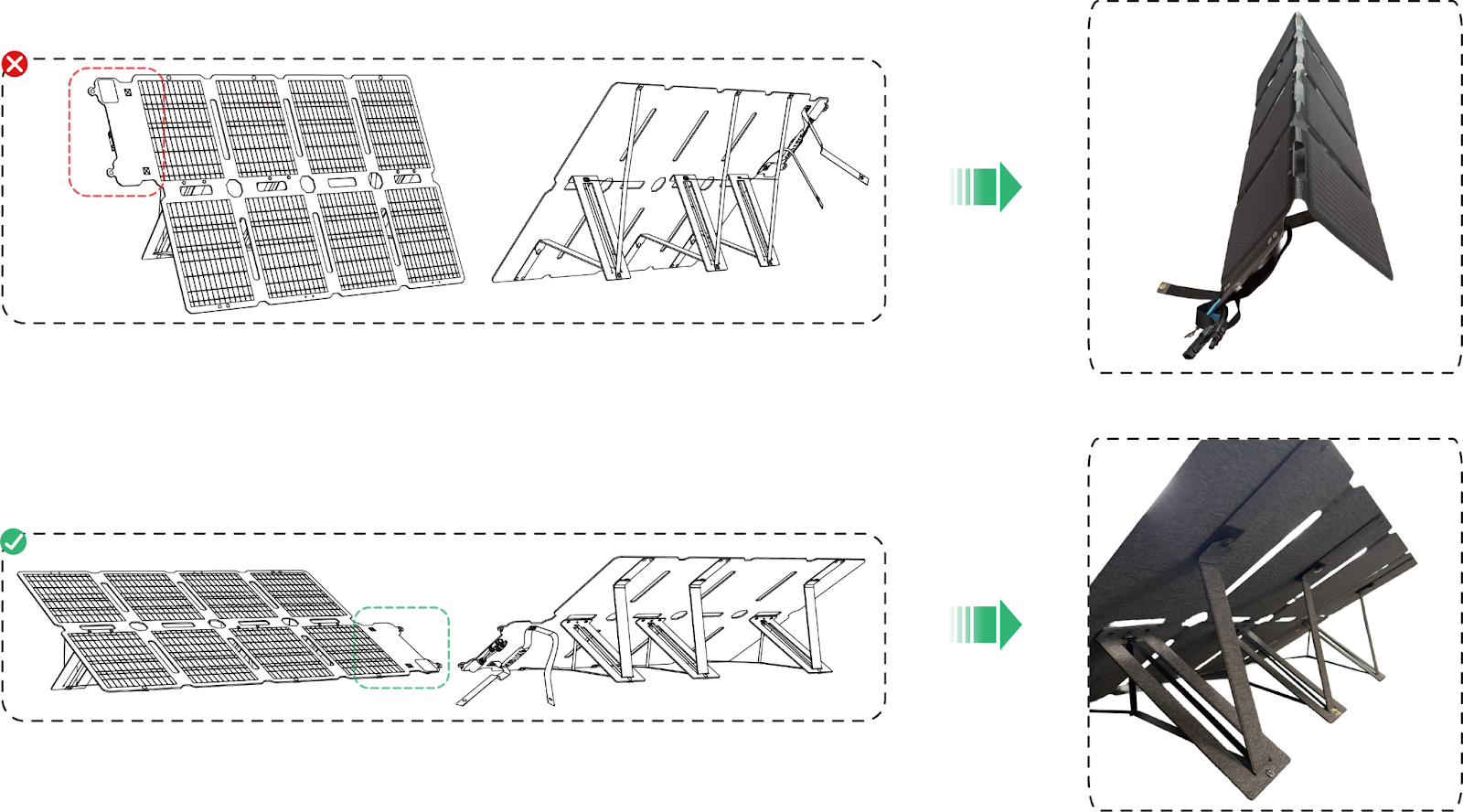
Step 4: Ensure Correct Panel Orientation

Make sure the solar panel is positioned in the correct direction. The elastic straps should have moderate tension and not be overstretched. If positioned incorrectly (with straps stretched to the maximum), the panel will not have proper support and may collapse.
 

If you have any questions, feel free to contact us for further assistance.

Unresolved icon
1 undefined
How do I set up the solar panel?
67 views1 likes/2026-03-20 11:12:07
Download icon
Anker SOLIX Portable Power Station Warranty Policy (Australia)
Download icon
Anker SOLIX Portable Power Station Warranty Policy
Download icon
A2432 Anker 513 Solar Panel (200W) User Manual
Download icon
Anker SOLIX Portable Power Station Warranty Policy (Australia)
Download icon
Anker SOLIX Portable Power Station Warranty Policy
Download icon
A2433 Anker SOLIX PS400 Solar Panel (400W) User Manual
View More
Play videoHow to use Liberty 4 Wellness features
How to use Liberty 4 Wellness features
Play videoHow to Connect to the Soundcore App and Update Firmware for Sport X10
How to Connect to the Soundcore App and Update Firmware for Sport X10
Play videoHow to Wear Liberty 4 and Change Eartips
How to Wear Liberty 4 and Change Eartips
Play videoHow to solve a connection issue on Sleep A10
How to solve a connection issue on Sleep A10
Play videoHow to Use Features On the Soundcore App for Sport X10
How to Use Features On the Soundcore App for Sport X10
Play videoHow to Pair and Reset Sport X10
How to Pair and Reset Sport X10
View More